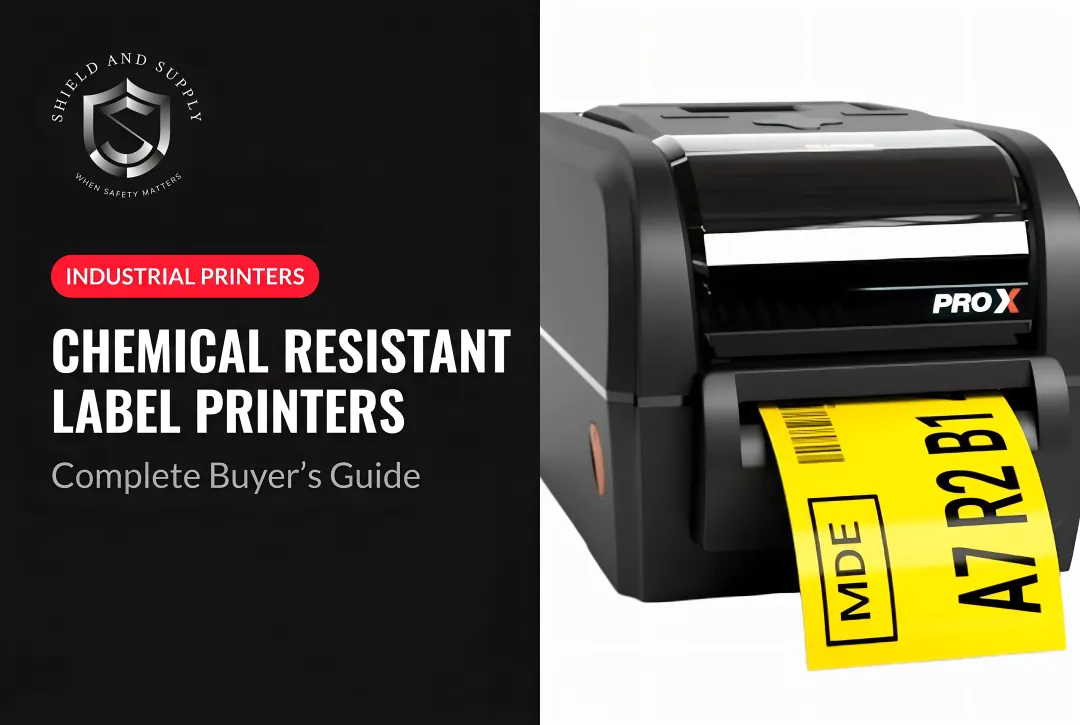
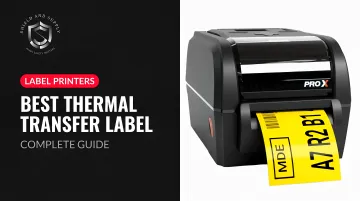
Many buyers make a costly mistake: they purchase direct thermal printers expecting industrial performance, then discover their labels fade, peel, or fail under heat and chemical exposure — triggering re-labeling costs and potential OSHA compliance gaps.
This guide breaks down how thermal transfer printing works, compares five top industrial printers, and identifies what actually matters before you buy.
Key Takeaways
- Thermal transfer printers use a heated ribbon to melt ink onto label stock, producing labels that resist UV, heat, moisture, and chemicals
- Direct thermal labels suit short-term use under six months; thermal transfer labels can last years, making them the right choice for pipe markers, asset tags, and safety signs
- Top industrial options: LabelTac® 9, Zebra ZT410, Honeywell PC42t Plus, TSC MH240T, and Brady BMP71
- Key buying factors: ribbon type (wax, wax-resin, or resin), print resolution, media width, connectivity, and total cost of ownership
What Is a Thermal Transfer Label Printer and Why Does It Matter?
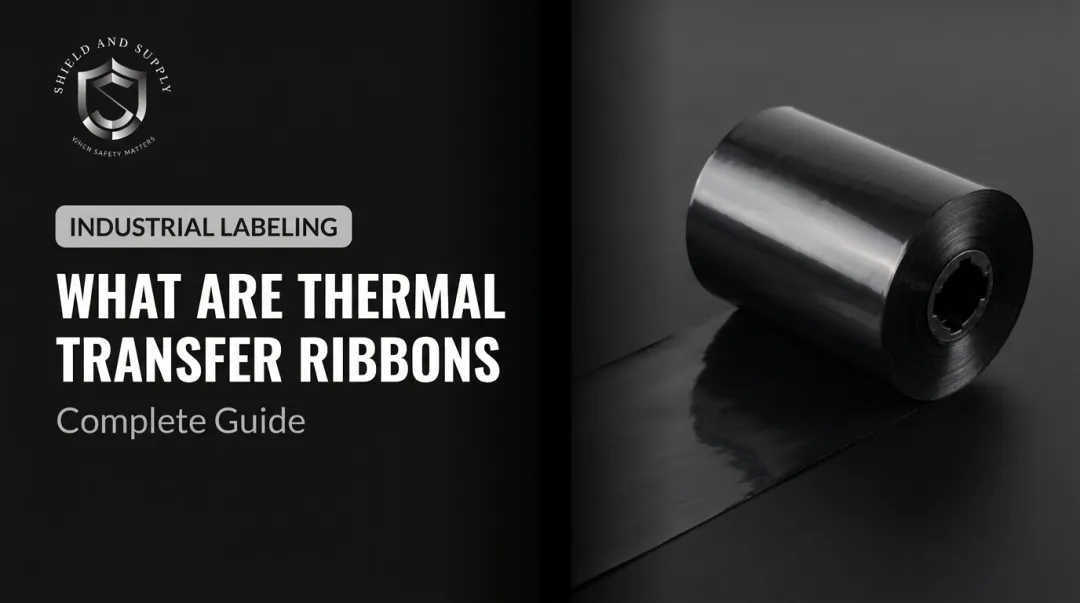
Thermal transfer printing uses a heated printhead to melt wax- or resin-based ink from a ribbon onto the label substrate, creating a permanent, heat-set image. Direct thermal printing, by contrast, simply activates heat-sensitive paper — no ribbon required, and no long-term durability.
According to Brother Mobile Solutions, the label's required lifetime and the environment it will face are the two most critical selection factors. Direct thermal works for short-lived applications under six months: receipts, temporary shipping labels. Thermal transfer handles outdoor exposure, chemical contact, and temperature extremes.
Zebra rates thermal transfer label and ribbon combinations for up to 10 years outdoors, which is why TT printing is the standard for pipe markers, equipment tags, floor signs, and OSHA safety labels.
Choosing the Right Ribbon Type
The ribbon you pair with your printer determines how well labels hold up in the field. Three formulations exist:
| Ribbon Type | Durability | Best For |
|---|---|---|
| Wax | Basic | Indoor paper labels, general warehouse use |
| Wax-Resin | Moderate | Synthetic labels, some chemical/scratch resistance |
| Resin | Maximum | Harsh chemicals, extreme heat, outdoor environments |
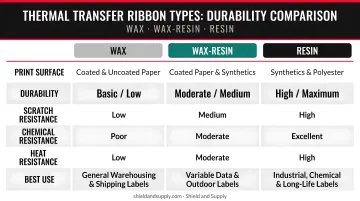
For most industrial facilities, wax-resin covers the majority of labeling needs. Resin is worth the added cost wherever labels contact solvents, lubricants, or high-temperature surfaces.
Best Thermal Transfer Label Printers for Industrial Use
These five printers were evaluated on print durability, ribbon and media compatibility, connectivity, software support, ease of supply loading, and suitability for high-demand industrial environments.
LabelTac® 9 Industrial Label Printer
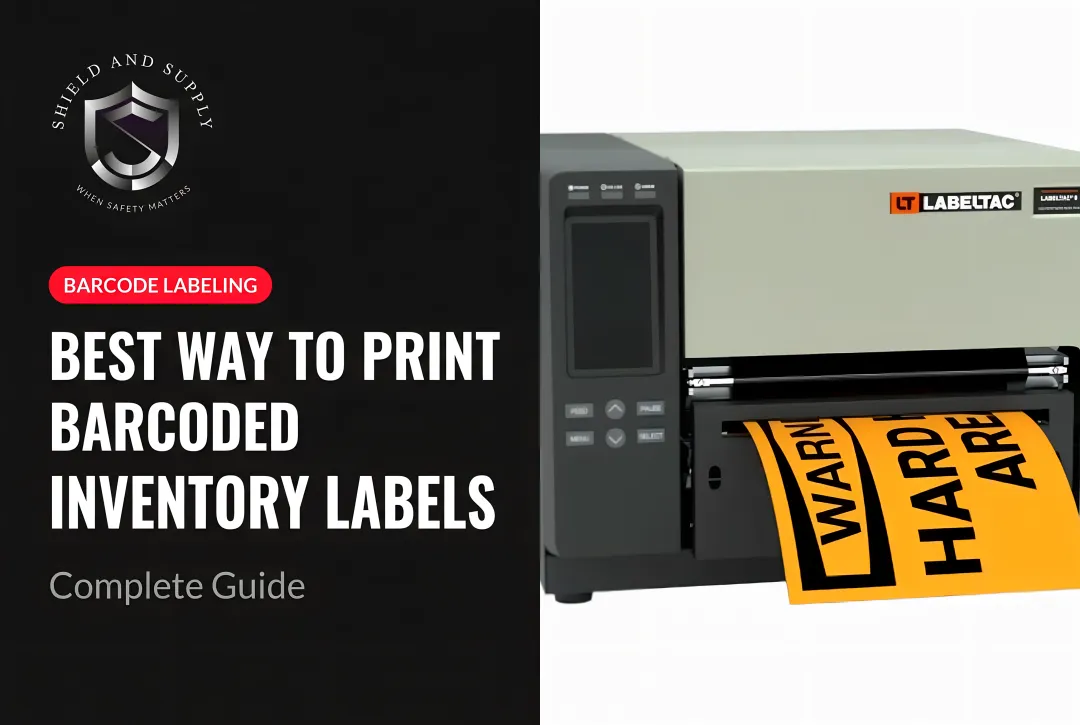
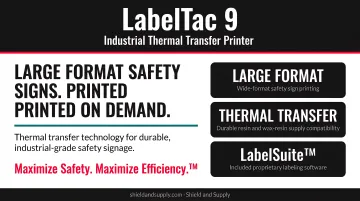
Shield and Supply's flagship thermal transfer printer is purpose-built for warehouses, manufacturing plants, and facilities requiring OSHA-compliant signage. Its defining characteristic is format size: it handles label and sign media from 4 to 9 inches wide, enabling large-format safety signs that remain visible from a distance — something most desktop printers simply can't do.
Supported media includes:
- Vinyl, reflective, and magnetic stock
- Glow-in-the-dark and high-temperature materials
- Printable cable wraps and dry-erase supply
Ribbons are available in seven colors (black, white, red, green, orange, blue, yellow) on 8.66" × 984' rolls, delivering scratch- and chemical-resistant output across all compatible substrates.
The standout advantage is the Full Lifetime Warranty covering all parts and labor — a rarity in industrial printing — plus bundled LabelSuite™ software (a $299.99 value) with templates for OSHA compliance, pipe marking, 5S, rack labeling, and GHS applications. New users can produce compliant labels on day one without prior design experience.
| Specification | LabelTac® 9 |
|---|---|
| Media Width | 4" – 9" |
| Daily Capacity | Up to 2,500 labels/day |
| Connectivity | USB 2.0, built-in Ethernet |
| Warranty | Full Lifetime (parts, labor, transferable) |
| Price | $3,999.00 USD |
Zebra ZT410 Industrial Thermal Transfer Printer
The ZT410 is one of the most widely deployed industrial thermal transfer printers globally, trusted across logistics, manufacturing, and healthcare operations. It supports both thermal transfer and direct thermal modes, and accepts media rolls up to 8.0 inches O.D. — suited for high-volume, continuous production.
Resolution options (203, 300, or 600 dpi) let buyers match print quality to application requirements. Print speed reaches 14 ips at 203 dpi and 10 ips at 300 dpi, making it capable in fast-moving production environments.
Zebra's Link-OS environment enables remote printer management and diagnostics across multiple units — a significant advantage for large facilities with distributed printing needs. ZPL/ZPL II command language support integrates with virtually any enterprise labeling software.
| Specification | Zebra ZT410 |
|---|---|
| Resolution | 203, 300, or 600 dpi |
| Max Print Speed | Up to 14 ips (203 dpi) |
| Media Roll O.D. | 8.0 in |
| Connectivity | USB 2.0, Serial, Ethernet, Bluetooth 2.1; optional Wi-Fi |
Honeywell PC42t Plus Desktop Thermal Transfer Printer
The PC42t Plus occupies the light-to-medium duty segment — a practical choice for individual workstations, inventory areas, and smaller facilities that need reliable thermal transfer output without the footprint of a full industrial unit.
It prints at 203 dpi with a max speed of 5 ips, handling media widths up to 4.1 inches and ribbon widths from 1.2 to 4.3 inches. Connectivity covers USB device, USB host, Ethernet, and serial — enough flexibility for most workstation configurations.
The tradeoff versus heavier industrial units is duty cycle. The PC42t Plus is positioned for economical, light-duty use. For facilities that need to print dozens of labels per shift rather than thousands, it delivers consistent thermal transfer quality at a lower price point.
| Specification | Honeywell PC42t Plus |
|---|---|
| Resolution | 203 dpi |
| Max Print Speed | 5 ips |
| Max Media Width | 4.1 in |
| Connectivity | USB, Ethernet, Serial |
TSC MH240T Industrial Thermal Transfer Printer
The MH240T is a rugged, mid-range industrial printer built for continuous-duty environments. Its die-cast metal frame and print mechanism handle the physical demands of factory floors. It prints at 203 dpi with speeds up to 14 ips, supporting media widths from 0.78 to 4.49 inches and ribbon rolls up to 600 meters — reducing how often operators need to reload supplies during long runs.
Barcode symbology support covers the major formats used in manufacturing and distribution. At its price point, the MH240T competes directly with Zebra and Honeywell equivalents while offering comparable duty-cycle performance for asset labeling and product identification.
| Specification | TSC MH240T |
|---|---|
| Resolution | 203 dpi |
| Max Print Speed | Up to 14 ips |
| Max Ribbon Capacity | 600 m |
| Media Width | 0.78" – 4.49" |
Brady BMP71 Label Printer
The BMP71 is built for on-site field labeling — portable use rather than a fixed workstation. At 300 dpi, it's designed for electricians, data center technicians, and maintenance crews who need to print durable labels where the work happens.
Brady's proprietary cartridge ecosystem is the BMP71's strongest asset, covering 400+ label options across 30 material types:
- Wire and cable labels, PermaSleeve heat-shrink sleeves
- Self-laminating labels, polyester, and vinyl
- Self-extinguishing Tedlar materials for hazardous environments
It connects via USB and Bluetooth for wireless printing from mobile devices, and runs on a rechargeable battery for all-day portable use.
| Specification | Brady BMP71 |
|---|---|
| Resolution | 300 dpi |
| Label Ecosystem | 400+ label options, 30 material types |
| Connectivity | USB, Bluetooth |
| Form Factor | Portable, battery-powered |
How We Chose These Printers
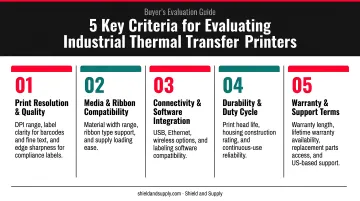
Five criteria drove the evaluation:
- Label durability — ribbon and media compatibility for industrial environments
- Print resolution and barcode scanability — quality sufficient for asset tracking and compliance labels
- Connectivity and software integration — fit with existing facility systems
- Total cost of ownership — printer price plus ongoing ribbon and media costs
- OSHA and GHS compliance support — pre-built templates or command language support
A common mistake buyers make is prioritizing upfront printer cost while overlooking consumables. Ribbon type, media pricing, and replacement frequency can dramatically shift real cost of ownership over a two-to-three-year period.
For industrial environments, printhead longevity and warranty terms were weighted heavily. A printer failure in an active warehouse stops production. According to Siemens' 2024 True Cost of Downtime report, unplanned downtime costs the world's 500 largest companies $1.4 trillion annually. Warranty terms are risk management, not a checkbox. Shield and Supply's Full Lifetime Warranty on LabelTac® printers — covering parts and labor with no expiration — carried significant weight in this evaluation.
Thermal transfer printing also extends printhead life compared to direct thermal. Honeywell's published printhead lifetime data shows thermal transfer printheads average 2 million linear inches (50 km), versus 1 million linear inches (25 km) for direct thermal — because the ribbon acts as a protective layer between the printhead and media.
Conclusion
For any facility where labels must stay legible past six months and hold up against heat, chemicals, or physical wear, thermal transfer is the only printing method that delivers. Choosing the right printer means matching ribbon type, media width, and software capability to specific labeling tasks — not just picking the lowest-priced unit.
Before buying, calculate total cost of ownership across these five factors:
- Printer purchase price and warranty terms
- Ribbon type and cost per roll
- Label media pricing and material compatibility
- Expected monthly print volume
- Open vs. proprietary supply compatibility
A lower-priced printer with proprietary consumables often costs more over its lifespan than a higher-priced unit with open supply compatibility.
Shield and Supply's LabelTac® printers are built for industrial environments — they carry a Full Lifetime Warranty and include LabelSuite™ software with pre-built OSHA, GHS, and ANSI compliance templates. To match a printer to your facility's specific volume and media requirements, call Shield and Supply at 877-514-0727 or email info@shieldandsupply.com.
Frequently Asked Questions
What is the difference between a thermal printer and a thermal transfer printer?
A standard thermal (direct thermal) printer uses heat to darken heat-sensitive paper — no ribbon required. A thermal transfer printer uses a heated ribbon to melt ink permanently onto the label substrate. The result is a far more durable label suited for industrial, outdoor, and long-term applications where direct thermal labels would fade or fail.
What should I look for when buying a thermal transfer printer?
Four factors matter most when choosing a thermal transfer printer:
- Print resolution: 203 dpi minimum; 300 dpi preferred for industrial barcodes
- Ribbon type: Wax, wax-resin, or resin depending on your environment
- Connectivity: USB, Ethernet, or wireless based on your workflow
- Media support: Confirm the printer handles your required label widths and substrates
What is the best thermal transfer label printer?
The right printer depends on your use case. The LabelTac® 9 suits heavy industrial and large-format signage; the Zebra ZT410 fits high-volume logistics and manufacturing. Mid-volume workstations match the Honeywell PC42t Plus or TSC MH240T, while field technicians are better served by the portable Brady BMP71.
What is the lifespan of a thermal label printer's printhead?
Thermal transfer printheads average approximately 2 million linear inches (50 km) of printing — roughly double the lifespan of direct thermal printheads. The ribbon acts as a buffer between printhead and media, reducing friction and extending component life.
Can a thermal transfer printer print barcodes?
Yes. Both printer types produce barcodes, but thermal transfer delivers sharper edges and more scan-reliable results on durable substrates. For asset tracking or product labels that must remain scannable over years of use, thermal transfer is the more reliable choice.
What type of printer handles high-volume printing best?
Dedicated industrial thermal transfer printers with large external ribbon capacity — such as the Zebra ZT410 or TSC MH240T — handle high-volume output reliably. Both support long ribbon rolls and continuous-duty printheads rated for thousands of labels per day without overheating or media jams.