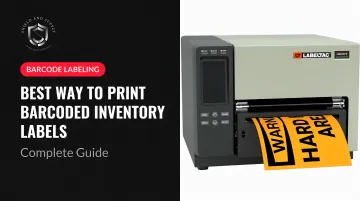
Barcoded inventory labels solve this by replacing manual data entry with a single scan. The right setup — correct barcode format, proper printer, durable label stock — transforms how a facility tracks stock, supports OSHA compliance, and cuts audit time dramatically.
This guide covers everything you need to get it right: choosing the correct barcode type, the equipment required, a step-by-step printing process, and how to match label materials to your specific environment.
Key Takeaways
- Code 128 is the best default barcode format for most warehouse and industrial inventory applications
- Thermal transfer printers produce the most durable barcodes for industrial environments; direct thermal labels fade within months under heat or UV exposure
- Print at 300 dpi minimum and always verify with your actual scanner hardware before a full batch run
- Vinyl and polyester labels outlast paper in any environment with moisture, chemicals, or temperature swings
- Pair your label material and printer type to your specific facility conditions before committing to a full print run
Why Barcoded Inventory Labels Matter in Industrial Settings
A barcode scan takes under a second. Manual data entry takes longer, and it introduces errors that don't show up until a shipment is wrong or a cycle count doesn't reconcile.
Zebra's 2024 Warehousing Vision Study, which surveyed 1,403 IT and operational decision-makers across manufacturing, logistics, and distribution, confirms that barcoding remains the preferred approach for materials identification — yet fewer than one-third of respondents reported barcode scanning for the majority of inbound items at the carton or item level. That gap is where errors, mis-picks, and audit headaches live.
Barcoded labels also create a traceable, scannable record for every SKU, bin location, and incoming shipment. That consistency supports internal auditing and satisfies OSHA requirements around hazardous material identification and product traceability.
Every label applied at receiving becomes part of a chain of custody — one that follows the item through picking, transfer, and dispatch.
For manufacturing and warehousing operations, the operational case comes down to a few concrete outcomes:
- Fewer mis-picks and receiving discrepancies
- Faster cycle counts with less manual reconciliation
- A documented audit trail that holds up during inspections
- OSHA-compliant identification for hazardous materials and controlled inventory
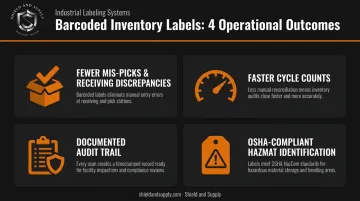
One consistent label format, scanned at every touchpoint, keeps your system accurate — and keeps your team accountable to it.
Choosing the Right Barcode Type for Inventory
Not all barcodes are interchangeable, and choosing the wrong format for your scanner hardware is one of the most common — and costly — setup mistakes.
There are two main categories:
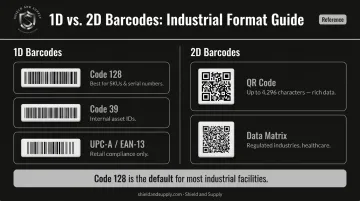
- 1D (linear) barcodes — data encoded in vertical lines and spaces; compact and universally supported
- 2D (matrix) barcodes — data encoded on an x-y axis using dots or squares; higher data capacity in a smaller footprint
1D Barcodes for Inventory
The three formats you'll encounter most often:
| Format | Best For | Notes |
|---|---|---|
| Code 128 | SKUs, bin numbers, serial numbers | Encodes all 128 ASCII characters; high-density, widely supported |
| Code 39 | Internal asset IDs, simpler alphanumeric labels | Supports A–Z, 0–9, and 7 special characters; less dense than Code 128 |
| UPC-A / EAN-13 | Retail point-of-sale compliance | UPC-A = 12 digits; EAN-13 = 13 digits; required for GS1 retail supply chains only |
Code 128 is the go-to for internal warehouse and manufacturing inventory. It handles variable-length alphanumeric data, works with virtually every industrial scanner, and carries no licensing cost.
For logistics labels that need to carry structured attributes — batch/lot numbers, expiration dates, serial numbers — GS1-128 (a structured subset of Code 128) can encode up to 48 characters of this data in a standardized format.
2D Barcodes for Inventory
Two formats dominate:
- QR Code — encodes up to 4,296 alphanumeric characters (per Denso Wave's capacity specifications); useful when a label needs to carry URLs, batch information, or rich product data
- Data Matrix — encodes up to 2,335 alphanumeric characters per GS1 standards; common in regulated industries and healthcare supply chains
Always confirm your scanner hardware supports the format before printing a large batch. 2D codes require 2D-capable scanners or smartphones — if your facility runs 1D-only handhelds, QR code labels simply won't scan.
For most industrial facilities, Code 128 is all you need. Move to 2D only when your data volume or scanning workflow demands it.
What You Need to Print Barcoded Inventory Labels
Four components are required for any functional barcode label printing setup:
- Barcode generation / label design software — creates the barcode, structures the label layout, and queues print jobs
- A label printer — produces the physical label; printer type determines durability
- Label stock — the substrate the barcode is printed onto; material choice affects longevity
- A barcode scanner — used to verify output before full production runs
Choosing the Right Printer Technology
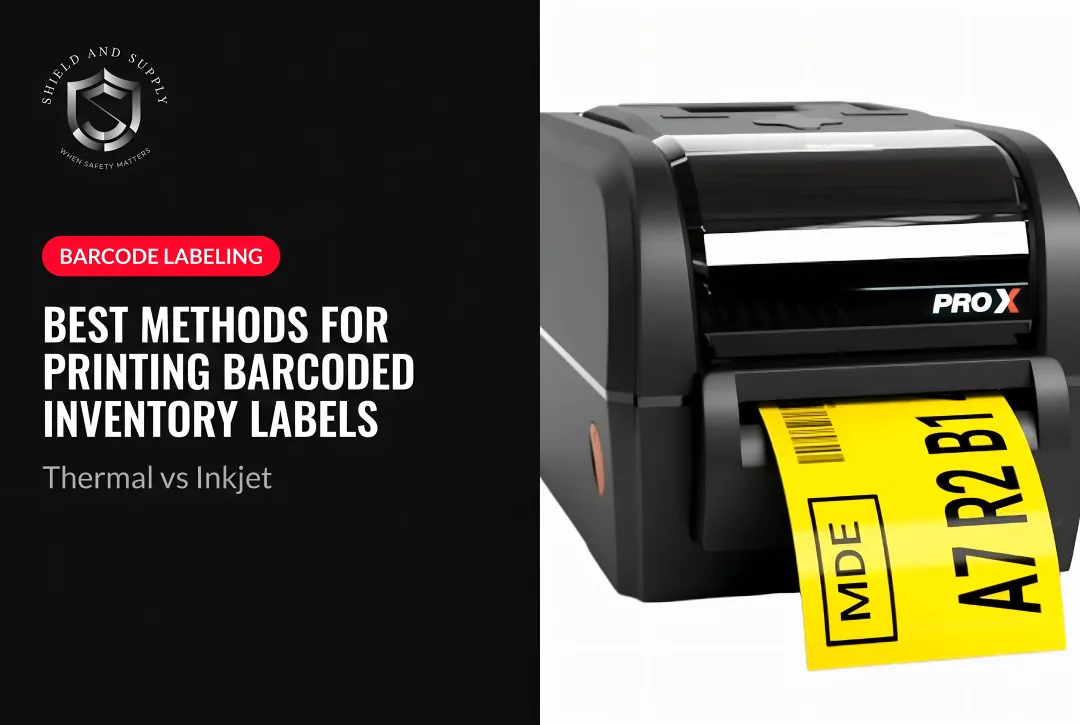
Thermal transfer is the standard for industrial environments. It uses a ribbon to transfer ink onto the label surface, producing a durable, smear-resistant barcode that holds up against moisture, chemicals, abrasion, and temperature exposure. According to Zebra, some thermal transfer label-ribbon combinations last up to 10 years outdoors.
Direct thermal uses heat-sensitive media with no ribbon. Lower upfront cost, but Brady's guidance places direct thermal labels at a typical lifespan of less than 6 months — suitable for short-term uses like shipping labels, not permanent inventory identification.
Standard office inkjet or laser printers are not suitable for high-volume industrial barcode labels. They're designed for flat sheet paper, not continuous roll stock, and can't maintain the consistent print quality that demanding scanning environments require.
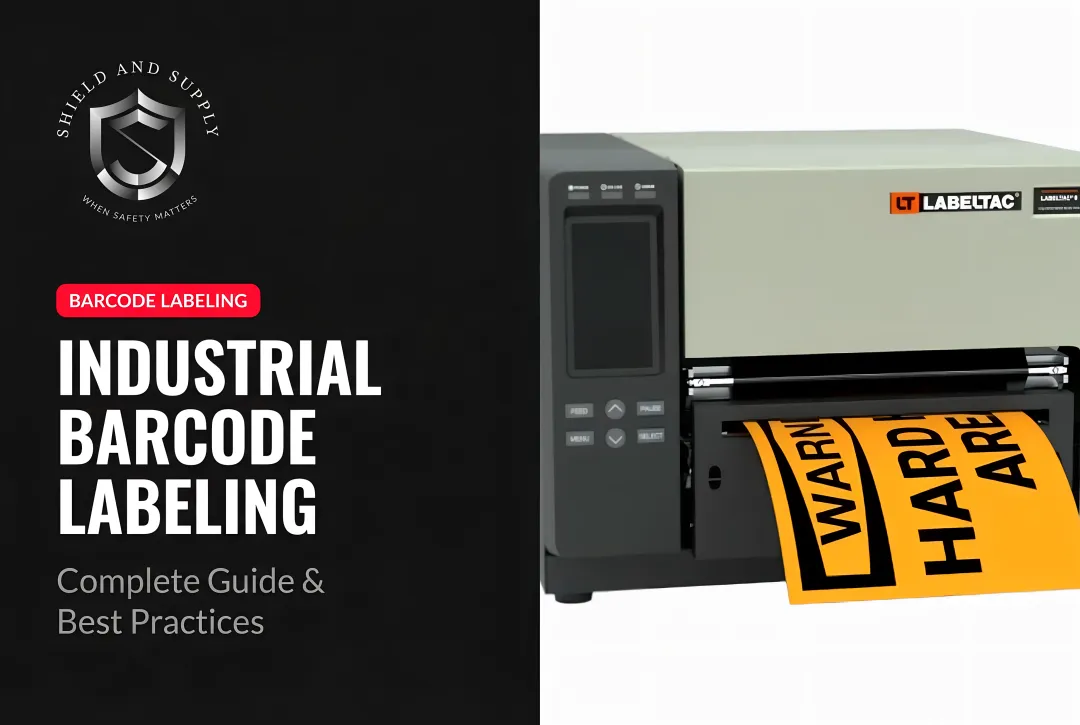
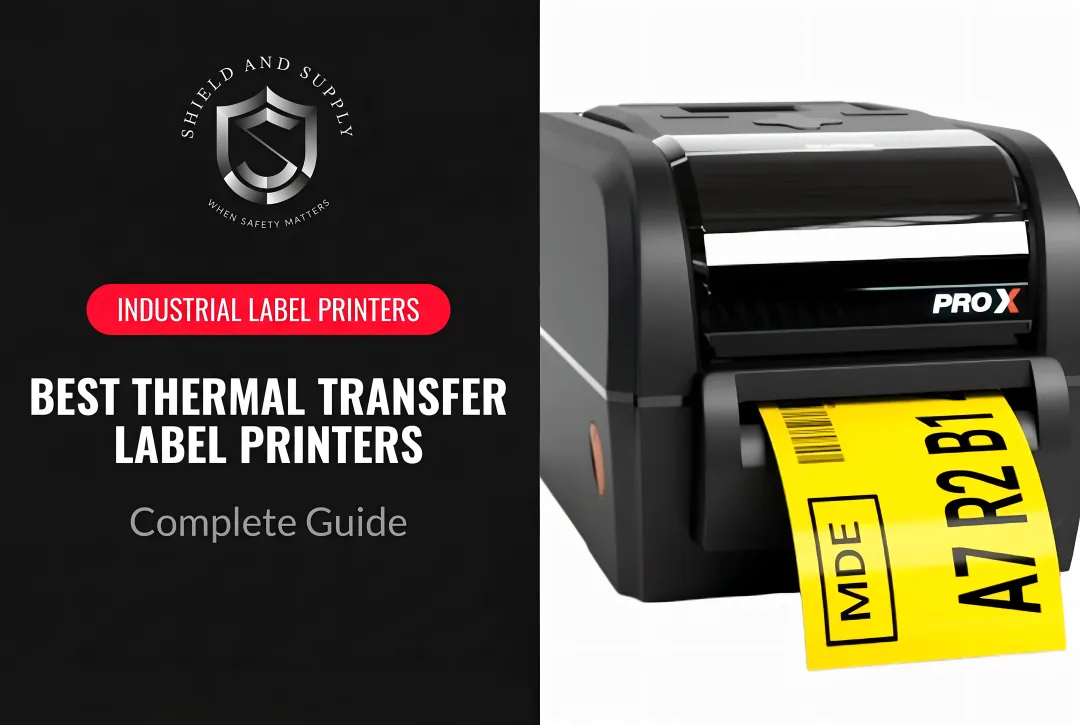
For industrial environments, Shield and Supply's LabelTac® printers are purpose-built thermal transfer solutions. Two models cover most operations:
- LabelTac® Pro X ($1,299.99) — prints 1/2" to 4" wide labels; connects via USB or Ethernet for networked environments
- LabelTac® 9 ($3,999.00) — prints 4" to 9" wide; handles up to 2,500 labels per day for high-volume operations
Both include LabelSuite™ design software (a $299.99 value) and a Full Lifetime Warranty covering all parts, labor, and related costs.
Print Resolution
Target 300 dpi minimum for clear, scannable barcodes. Industrial printers from major manufacturers typically offer 203, 300, 406, and 600 dpi options — the right choice depends on your barcode size and target X-dimension. Smaller barcodes on tight label sizes need higher resolution to remain scannable. For QR codes specifically, Denso Wave recommends at least 4 printer dots per module for stable readability.
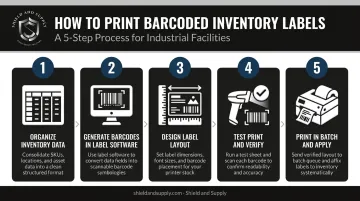
How to Print Barcoded Inventory Labels: Step-by-Step
Step 1 — Organize Your Inventory Data
Before touching the printer, compile your item list into a structured spreadsheet (Excel or CSV) with consistent columns: SKU, item description, bin location, and any other fields the label will display. Inconsistent SKU formats — "SKU-001" versus "001-SKU," for example — create duplicate or unreadable barcodes downstream.
Step 2 — Generate Barcodes Using Label Design Software
Dedicated label software like LabelSuite™ handles the heavy lifting. Import your spreadsheet, and the software lets you:
- Select a barcode symbology (Code 128, QR, GS1-128, and more)
- Customize label layouts with your branding and field order
- Queue and run batch print jobs in a single pass
LabelSuite™ is included free with all LabelTac® printer purchases and runs as a desktop application on PC or Mac.
Step 3 — Design the Label Layout
Every inventory label should include:
- The barcode (primary scannable element)
- Human-readable SKU printed below or beside the barcode
- Item description (abbreviated as needed)
- Bin or location identifier
- Quantity if relevant to your workflow
Keep designs clean. The quiet zone — the blank margin surrounding the barcode — is not decoration. For GS1-128 barcodes, GS1 requires a minimum quiet zone of 10X (10 times the X-dimension) on each side. Crowding the barcode with text or graphics is a leading cause of scan failures.
Step 4 — Run a Test Print and Verify
Print a small batch first — 5 to 10 labels. Scan each one with your actual scanner hardware, not a phone app. Confirm:
- All barcodes scan correctly
- The correct data is decoded
- No blurring, smearing, or size distortion
Fix issues at this stage, not after printing 500 labels.
Step 5 — Print in Batch and Apply
Once verified, run the full batch. Where you place labels is just as important as what's on them — poor placement is the most common cause of scanner misreads in the field. Apply labels to:
- Flat, clean, dry surfaces — wipe down bins and shelving before application
- Unobstructed positions — visible to a handheld scanner without repositioning the item
- Away from seams, curves, and textured surfaces that distort the label or reduce adhesion
Selecting the Right Label Material for Your Environment
Label material is where most inventory operations make their first mistake. Wrong material means failed scans, reprints, and stockouts — problems that trace back to a decision made before a single label was printed.
Common Label Materials and When to Use Them
Paper labels work fine for clean, climate-controlled environments and short-lifecycle items. They're the lowest-cost option but are not appropriate for outdoor storage, freezer environments, or any surface that sees moisture, chemicals, or physical contact.
For most industrial inventory applications, synthetic materials — polyester, polypropylene, or vinyl — are the right call. Avery Dennison's polyester facestock handles service temperatures from -40°F to 300°F and resists engine oil, water, and 70% IPA. Brady's polypropylene labels are rated from -196°C to 121°C and hold up against xylene, ethanol, and isopropanol.
Within the vinyl category, rated durability varies widely. Shield and Supply's LabelTac® vinyl supply rolls are industrial-grade and weatherproof, rated to last 5 to 10 years indoors or outdoors, available in widths from 1/2" to 9" across their printer models. One detail worth noting: the thermal transfer ribbon matters as much as the facestock. The combination of substrate and ribbon determines whether print holds up to scratches and chemical exposure — not either component on its own.
Specialty label stocks — high-temperature, reflective, magnetic — exist for conditions where standard materials fail: extreme heat, low-light scanning areas, or surfaces that won't hold conventional adhesive. Shield and Supply carries several specialty supply options compatible with LabelTac® printers for these applications.
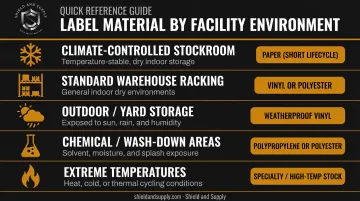
Use this framework to match material to environment:
| Environment | Recommended Material |
|---|---|
| Climate-controlled office/stockroom | Paper (short lifecycle) |
| Standard warehouse racking | Vinyl or polyester |
| Outdoor inventory / yard storage | Vinyl (weatherproof) |
| Chemical exposure / wash-down areas | Polypropylene or polyester |
| Extreme temperatures | Specialty/high-temp rated stock |
Best Practices to Ensure Barcode Readability
Printing a barcode is straightforward. Keeping it scannable through months of warehouse handling, temperature swings, and daily wear takes deliberate habits.
Placement rules:
- Always apply to flat, clean, dry surfaces
- Maintain quiet zones — never let text, graphics, or tape overlap the barcode
- Position labels so they're scannable without staff having to flip, rotate, or reposition items
Print quality and routine maintenance are just as critical as placement — a perfectly positioned label with faded ink is just as problematic as a misapplied one.
Print quality standards:
- Use 300 dpi or higher for production barcode labels
- Ensure your ribbon and label stock are matched for thermal transfer printing — incompatible combinations cause fading and streaking
- Follow printhead cleaning schedules — Zebra recommends cleaning after every ribbon roll (or every three rolls of direct thermal media), increasing frequency if quality drops
Testing and maintenance habits:
- Periodically re-scan existing inventory labels to catch fading or physical damage before it causes a picking error
- Establish a reprint protocol — damaged labels should be replaced at the point of discovery, not deferred
- Train staff to scan at every key transaction: receiving, transfer, picking, and dispatch
Frequently Asked Questions
What is the most cost-effective way to print inventory labels?
Direct thermal printers with paper labels have the lowest upfront cost for clean, indoor environments. For industrial settings, thermal transfer with vinyl or synthetic labels delivers better long-term value — fewer reprints from label failure more than offset the higher initial supply cost.
How do you keep track of inventory with barcodes?
Assign a unique barcode to each SKU and bin location, print and apply labels, then scan at every key transaction point — receiving, picking, and shipping. Your inventory system updates automatically with each scan, eliminating manual entry.
What is the best barcode type for inventory?
Code 128 is the best default for industrial and warehouse inventory. It handles variable-length alphanumeric data, works with all major industrial scanners, and has no licensing cost. GS1/UPC barcodes are only required when selling through major retailers.
Can QR codes be used for inventory tracking?
Yes. QR codes work well when you need to encode richer data (URLs, batch info, expiry dates) and your scanners or mobile devices support 2D reading. For straightforward warehouse tracking with standard handheld scanners, Code 128 is simpler and equally effective.
What is the best format for printing QR codes on inventory labels?
Print at 300 dpi minimum, size the code at least 1" × 1" for reliable scanning, and use high-contrast black on white. Denso Wave recommends at least 4 printer dots per module for stable readability.