Key Takeaways
- QR code labels link any storage bin, shelf, or rack to a live digital record — contents, quantities, handling notes, and more
- Dynamic QR codes are the right choice for storage: they let you update linked records without reprinting or replacing the label
- Label material must match the environment — industrial vinyl or polyester outperforms paper in any real warehouse setting
- Label size and placement must account for actual scanning distance — test before committing to a full print run
- Long-term success depends on record maintenance discipline, not the QR technology itself
Introduction
Written bin labels and paper inventory lists work fine until they don't — and in active warehouses, they stop working fast. Contents change, staff turns over, and handwritten markers become unreadable or simply wrong. QR code labels solve this by connecting a physical storage location to a digital record that can be updated without touching the label itself.
Adoption is accelerating for good reason. Zebra's 2024 Warehousing Vision Study found that 80% of warehousing organizations plan to invest in new technologies, with 63% planning to increase warehouse automation spending by more than 25% over five years. QR storage labels fit squarely into that shift.
Setup, however, has real failure points. Choosing the wrong label material, skipping placement tests, or failing to maintain the linked records turns a functional system into an ignored one within weeks.
This guide covers the full process: when QR labels make sense, what you need before you start, how to create and apply them correctly, and how to keep the system working in operational environments.
When Should You Use QR Code Labels for Storage?
QR labels earn their place when static written markers can't keep up with change.
Where They Add the Most Value
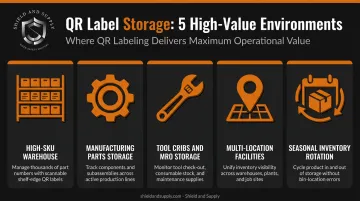
These environments are the best fit:
- High-SKU warehouses where bin contents rotate frequently and paper labels fall behind
- Manufacturing parts storage with multiple personnel pulling from the same locations
- Tool cribs and MRO storage where check-out status and maintenance schedules matter
- Multi-location facilities where staff need consistent item lookup across sites
- Seasonal inventory rotation where a single location holds different products at different times
Loftware reports a typical human data-entry error rate of 1 error per 300 characters. In high-change storage environments, those errors accumulate — wrong put-away causes missed picks and throws off cycle counts. A scanned QR code replaces a manual lookup and eliminates that transcription step entirely.
Where QR Labels Are Overkill
That value proposition flips when storage is stable and simple. If a location is fixed, low-traffic, and its contents never change — a dedicated tool cabinet in a single-person shop, for example — a plain text label is functionally sufficient. The setup effort for a QR system only pays off when bin contents, access patterns, or staffing complexity create real maintenance burdens.
What You Need Before Setting Up QR Code Labels for Storage
Getting this list wrong before printing means reprinting everything. Confirm each item before generating a single code.
| Prerequisite | Why It Matters |
|---|---|
| Dynamic QR code generator | Static codes lock content at creation; dynamic codes let you update the destination without reprinting |
| Digital record system | A spreadsheet, inventory platform, or WMS to host the information the QR points to — without this, the label is useless |
| Industrial-grade label stock and printer | Standard inkjet or office paper labels degrade quickly; material must match the environment |
| Defined naming and numbering convention | Retrofitting a location taxonomy after printing creates confusion and rework |
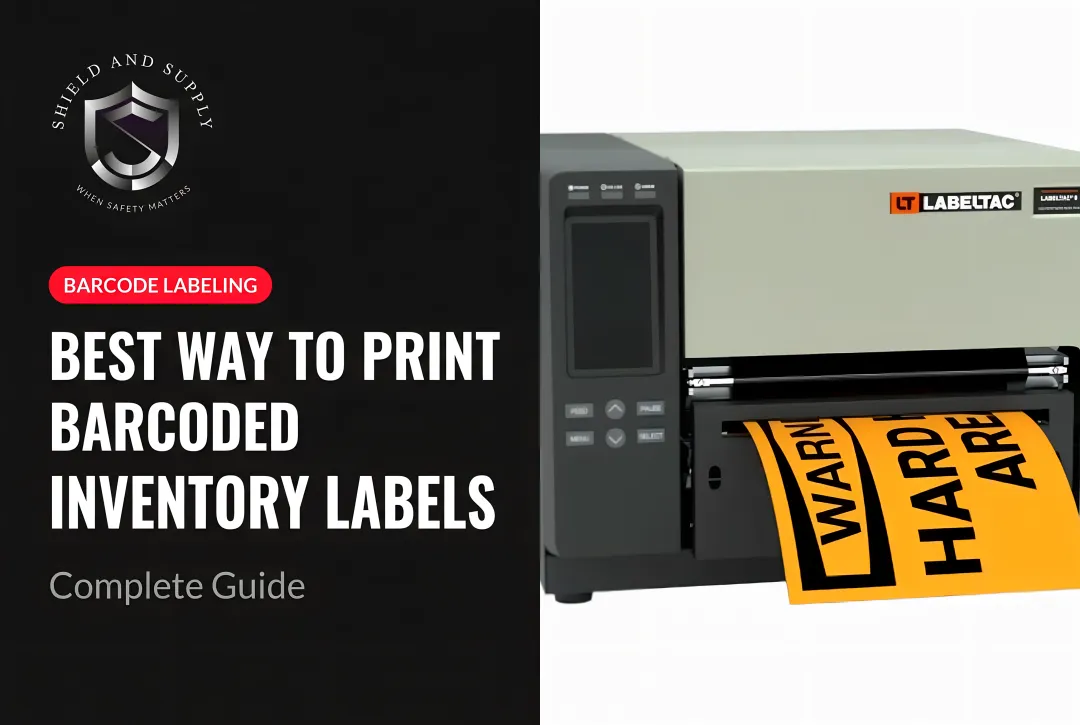
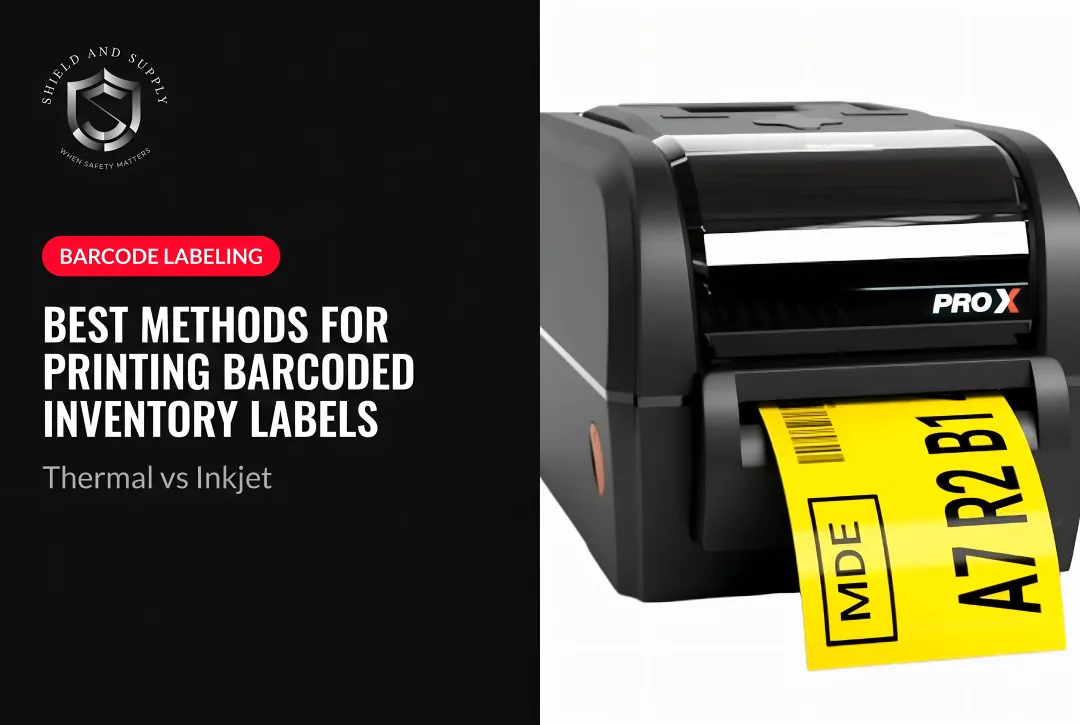
On the hardware side, Shield and Supply's LabelTac® Pro X handles supply widths from 1/2" to 4", while the LabelTac® 9 covers 4" to 9" wide media at up to 2,500 labels per day. Both printers pair with LabelSuite™ software for designing and printing storage labels at scale.
On QR code type: static QR codes lock content at creation and can't be updated without reprinting. Dynamic QR codes point to a hosted URL, so the label updates automatically when the underlying record changes. In any storage environment where contents shift, dynamic codes are the only practical option.
How to Create and Apply QR Code Labels for Storage
Execution follows a clear sequence. Skip the planning or placement testing steps and you'll end up with a system staff stop using within weeks.
Planning Your QR Code Label System
Define your storage taxonomy before generating anything:
- Decide what each label represents: a bin, shelf section, rack level, or zone
- Define the fields the linked record will include — contents, SKU, quantity, last updated date, handling instructions
- Assign location IDs first — each code maps to a permanent location, not a specific item, so bin contents can change without replacing the label
- Document your naming convention — a format like
SITE-ZONE-AISLE-RACK-LEVEL-BINgives every location a stable, human-readable address
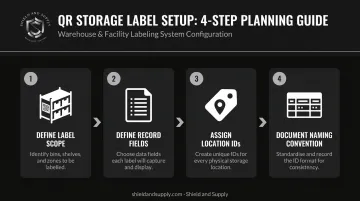
The goal is a location ID that never needs to change, even if everything stored there does.
Creating the QR Codes
Use a dynamic QR code generator and link each code to its corresponding digital record. Then test before printing:
- Scan every generated code with at least two device types (smartphone camera and handheld scanner)
- Test at the actual scan distance you expect in the aisle, not at a desk
- Use Q or H error correction level (25–30% restoration capability per Denso Wave) for environments with dust, condensation, or partial obstructions
- Preserve the four-module quiet zone (white border) around every code — rack graphics, text, or tape placed inside that border causes scan failures
A code that scans on a phone at arm's length may not scan on a handheld industrial scanner at rack height. Validate with the actual device in the actual location.
Printing and Applying the Labels
Material selection determines whether your labels survive the environment:
- Polyester labels — best for high-heat, high-humidity, or chemical-exposure zones
- Industrial vinyl — suitable for moderate warehouse use; LabelTac® vinyl supply rolls are rated for 5–10 years indoors or outdoors
- Overlaminate — add a clear polyester overlaminate layer anywhere labels face repeated wiping, dust, or oil contact
Once materials are selected, placement consistency matters just as much. Apply labels to the same position on each bin or rack face. Front-facing at readable height is standard. Avoid curved or recessed surfaces — they distort the code and cause scan failures. Apply to clean, dry surfaces; adhesive won't hold on dusty or oily substrates.
Scanning and Updating the System
Scanning only works if the linked record is current — and keeping records current is where most QR storage systems break down.
- Establish a protocol: update digital records when bin contents change, not at the end of the shift
- Designate ownership — receiving staff, inventory coordinators, or shift leads should have clear responsibility for updates
- Ensure every person who scans labels has access to view and edit the linked record; a QR code pointing to a locked or broken record provides no operational value
Best Practices for QR Code Storage Labels in Industrial Environments
Use Dynamic QR Codes Exclusively
Static codes require reprinting every time linked information changes. In active inventory environments, that happens constantly. Dynamic codes disconnect the physical label from the content it references — the label stays on the rack, the record changes in the system.
Size for Real Scan Distance
Bigger scan distance requires bigger modules. The Zebra DS3600-SR industrial scanner captures QR codes from near contact to nearly 5 feet — but that capability depends on adequate module size and print contrast. Don't assume a label sized for phone scanning at arm's length will work for a handheld scanner at rack height. Print two or three size variants before committing to a full run — what passes at a desk often fails in a dim aisle at 3 feet.
Protect Labels in Harsh Zones
An unprotected label in a manufacturing or warehouse setting can degrade within weeks under cleaning agents, oils, or condensation. This is a system uptime issue, not a cosmetic one.
- Use overlaminate in any zone with regular cleaning, chemical exposure, or high-touch handling
- Brady's B-111 polyester overlaminate, for reference, withstands up to 130°C and typically survives 700–1,000 abrasion cycles
Back Every Code with Human-Readable Text
Physical protection handles most failures — but not all. Every QR label should also include the location ID in human-readable text. If a code fails to scan — damaged label, dead battery, wrong scanner type — staff can still identify the location and pull the record manually. Without that fallback, a single label failure becomes a workflow stoppage.
Audit on a Schedule
Label maintenance should be built into existing operational routines:
- Scan a representative sample across the facility at least quarterly
- Check for degradation, obstruction, quiet zone damage, and broken dynamic links
- Replace any label that fails a first-pass scan attempt
- Tie audits to existing cycle counts, 5S walks, or safety inspections — that's when teams are already moving through the facility
Where QR Code Labels Fit Into Industrial Storage Operations
QR storage labels integrate into three core workflow stages:
| Process | QR Label Role |
|---|---|
| Receiving & put-away | Scanning confirms location assignment and reduces ambiguity between physical staging and WMS status |
| Picking & replenishment | Scanning pulls current contents and quantity before confirming movement, reducing wrong-location picks |
| Cycle counting | Scanning updates or verifies records in real time, preventing counts from posting to the wrong bin |
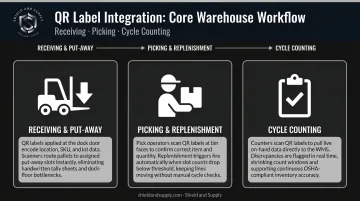
The system behind the label varies by context. In manufacturing parts storage, QR codes often link to usage history or reorder triggers. In warehouses, they connect to WMS location records. In tool cribs or MRO storage, they track check-out status and maintenance schedules. The label format stays consistent across all three — only the record it points to changes.
QR labels also support 5S and visual management programs directly. Any team member, including new hires and temporary staff, can scan a label and get immediate location-specific information without knowing the facility layout from memory. In high-turnover environments, that consistency is a real operational advantage.
Frequently Asked Questions
How do I create QR code labels for storage bins?
Use a dynamic QR code generator to link each code to an editable digital record — a spreadsheet, Google Drive folder, or inventory platform. Print the code on durable industrial label stock and apply it to the bin. The critical part isn't printing the code; it's keeping the linked record current.
What's the best way to label storage bins?
Combine a QR code with a visible plain-text location ID on the same label. This dual approach ensures the bin is identifiable even when scanning isn't possible — scanner battery dead, label partially damaged, or no device on hand. Either method gets you to the same information without depending on a working scanner.
Can I get a barcode for free?
Free QR code generators produce scannable codes and require no registration for internal use. Traditional barcodes (1D UPC/EAN formats) require a registered GS1 number for product identification in retail supply chains. For internal storage labeling, free QR generators are fully sufficient — no GS1 registration needed.
What information should I encode in a QR code storage label?
Encode the shortest stable location ID possible, then link to a live record containing:
- Current contents or SKU list
- Quantity and last updated date
- Handling or hazard notes
For industrial use, a link to a live inventory record beats embedding static text directly in the code.
Do QR code labels hold up in warehouse or industrial environments?
Standard paper or inkjet labels degrade quickly under moisture, abrasion, and cleaning chemicals — they're not built for industrial environments. Industrial-grade vinyl or polyester labels on a thermal transfer printer are the right choice. Shield and Supply's LabelTac® vinyl supply rolls are rated for 5–10 years indoors or outdoors.
How is a QR code different from a barcode for storage labeling?
Standard 1D barcodes encode limited linear data — typically a product or location ID. QR codes store more data, can link to rich digital records, and scan from multiple angles. For storage applications where contents change frequently and multi-directional scanning matters, QR codes offer meaningfully more flexibility than 1D barcodes.